Guides › Switch from Momentum
Switch from Momentum to a start page you control
Remove or turn off the Momentum extension so Chrome’s New Tab page returns, then set a homepage or another new-tab extension. Dayblaster can rebuild grouped shortcuts without a Momentum export file; this page does not invent an official Momentum export button.
What you are switching away from
Momentum’s Chrome Web Store listing (checked October 2026) describes a new-tab dashboard with a daily background, mantra and quote, Focus Mode, to-do lists, website shortcuts, local weather, and search options. The listing’s Privacy section says Momentum handles personally identifiable information and authentication information. The overview links to momentumdash.com/privacy and says information is not sold to third parties.
This is a switch guide, not a ranked list. For side-by-side product facts see Dayblaster vs Momentum and Momentum alternatives. Dayblaster is our product.
What you can take with you
We did not find a public Chrome Web Store control that downloads a Momentum shortcut file into Dayblaster. Do not expect a one-click import. You can still keep work you already have elsewhere:
- Chrome bookmarks: open
chrome://bookmarksand copy addresses you want on the next start page. - Visible Momentum shortcuts: while Momentum is still installed, open a new tab and write down the names and URLs you care about.
- Focus text and to-dos: copy them into a notes app, or into Dayblaster’s Notes and To Do widgets after you switch.
If Momentum Plus holds data in an account, use Momentum’s own site and privacy policy to ask that team how to export or delete it. This page does not speak for Momentum’s account tools.
Remove Momentum from the New Tab page
- Go to
chrome://extensions. - Find Momentum and select Remove, or turn it off if you want to keep it installed.
- Open a new tab. Chrome’s default New Tab page should return unless another new-tab extension is still enabled.
Chrome may show a notice about changing back to Google when a new-tab extension is installed. After removal, set the homepage and startup page if you also changed those. See homepage changed by itself and Chrome New Tab settings.
Rebuild shortcuts on Dayblaster
Dayblaster is a web page at https://www.dayblaster.com. You can set it as the homepage
in Chrome, Edge, or Firefox without an extension. A Chrome extension is optional if you want every
new tab to open it.
- Open Dayblaster. An account is not required. Settings stay in the browser until you sign in.
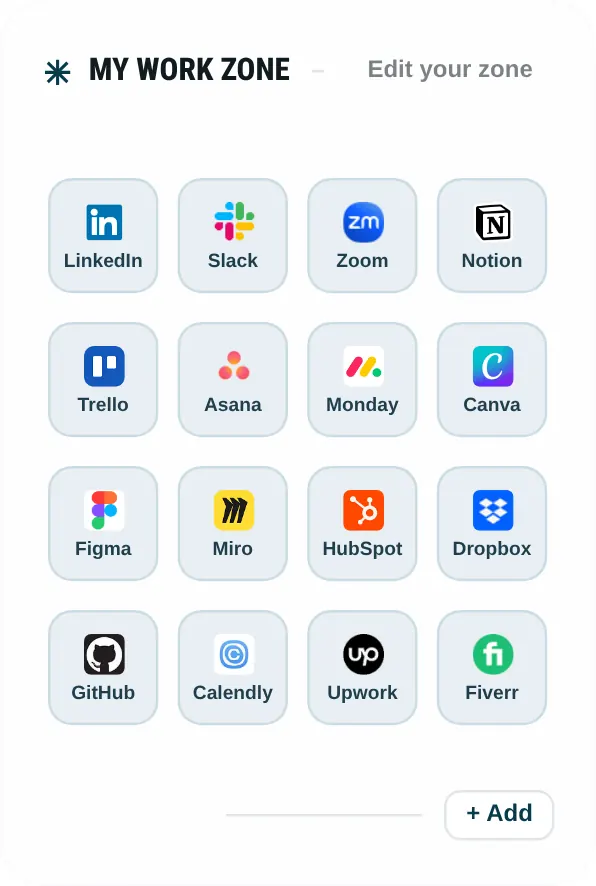
- In My Work Zone, My Fun Zone, AI Tools, or the Google apps row, select + Add.
- Enter the name and URL from your list.
- Drag shortcuts to reorder them.
- Optional: import a ready-made layout from setup kits (Developer, Creator, Student, Trader). Importing a kit swaps shortcuts only and snapshots the previous layout.
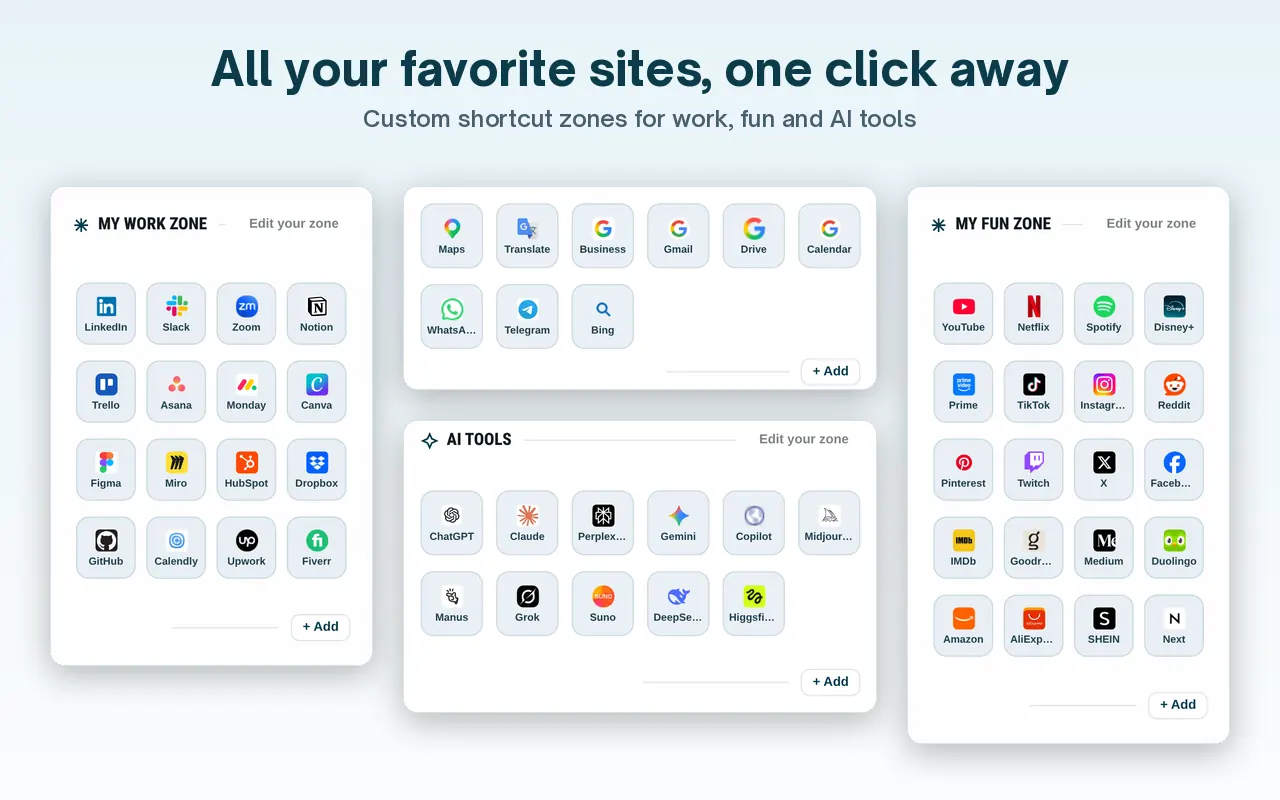

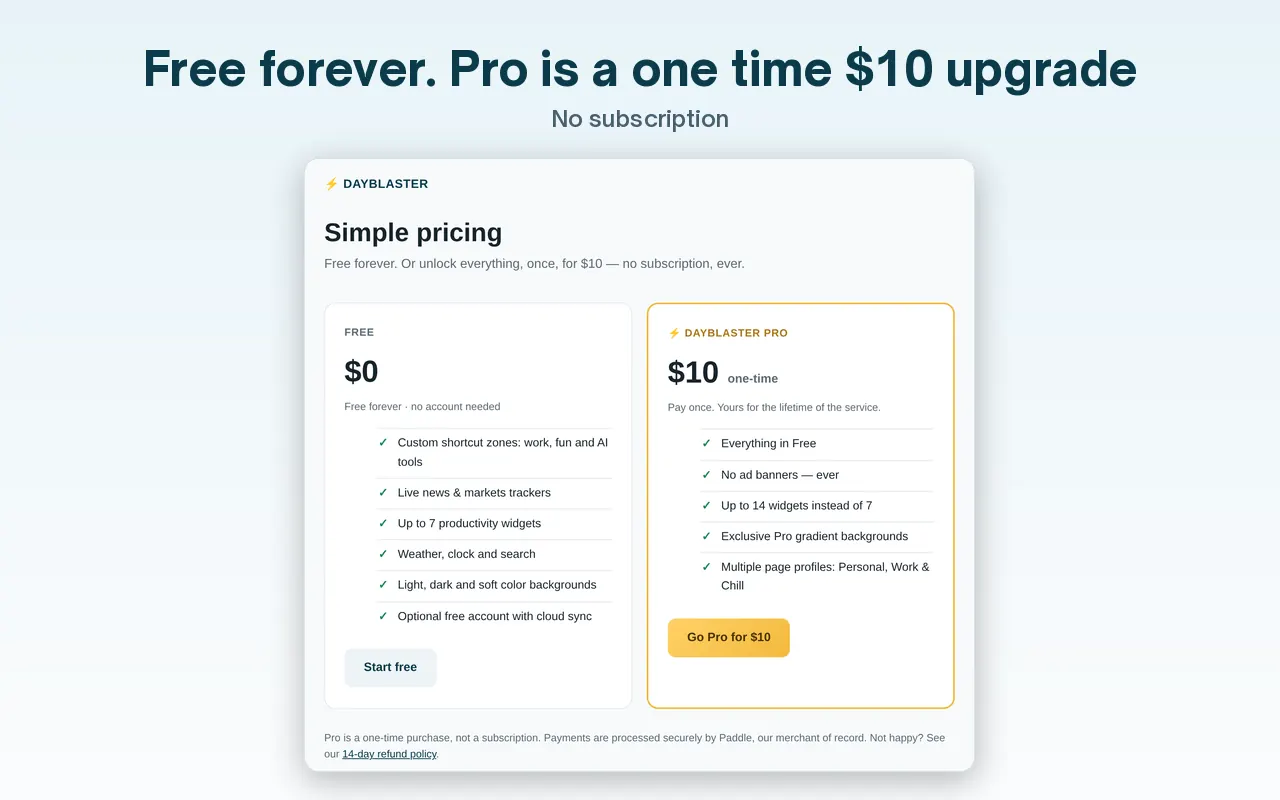
Free Dayblaster includes up to 7 widgets in the dock. Pro is a one-time $10 option on the pricing page, not a subscription. Sign in if you want cloud sync and the last 30 saved versions described on the facts page.
Permission details for Momentum and Dayblaster are in the privacy table.
What you will not get from Dayblaster after the switch
Momentum’s listing describes a daily photo, mantra and quote, Focus Mode, and Plus features such as soundscapes, Tab Stash, Notes AI, Ask AI, and task-manager integrations. Dayblaster’s facts page does not list those Plus features. What it does list: shortcut zones, Google News headlines, a markets ticker, widgets (notes, to-do, calculator, calendar, currency, clock, weather, timer, alarm, countdown, pomodoro, custom text), optional account sync, and a one-time Pro option.
If you used Momentum mainly for one focus line and a photo, Tabliss and Bonjourr (compared on vs Tabliss and vs Bonjourr) are closer in tone. If you used it as a shortcut pad and weather card, Dayblaster’s default layout is the closer match in this product family. That is a product difference, not a ranking.
After you add shortcuts, download a backup from Dayblaster settings if you want a file you control. Signed-in users also get cloud version history (the UI states the last 30 saved versions). That is the recovery path if a later extension fight resets the page.
Set Dayblaster as homepage after you remove Momentum
Chrome Help, Appearance: turn on Show Home button, then enter
https://www.dayblaster.com. On startup: Open a specific page or set of pages, then
add the same address. New tabs still need the
Dayblaster extension
if you want Ctrl+T to open Dayblaster. You can live with Chrome’s default New Tab page and only
use Home / startup. That is a valid split.
Install only from the Chrome Web Store link on this site. After install, Chrome may ask whether to keep the new tab change. Momentum’s own listing tells people to click Keep it for Momentum. For Dayblaster, use the same Chrome notice: keep the override only if you want it.
If you later want Momentum back, the store listing is still the install path. Removing Dayblaster
from chrome://extensions returns Chrome’s New Tab page, or Momentum if you left it
installed and turned off.
A short rebuild checklist
- Copy bookmark URLs you still need from
chrome://bookmarks. - Remove or disable Momentum.
- Open Dayblaster and add those URLs, or import a kit.
- Set homepage and, if you want, install the Dayblaster Chrome extension.
- Download a backup after the layout looks right.
- Read the privacy table before you install anything else.
That is a switch you can finish in one sitting. It is not an official Momentum migration wizard.
Related reading on this site: vs Momentum, alternatives list, new tab extensions, and how we review. Those pages use official sources and check dates. They do not import your Momentum account.
Dayblaster’s Chrome listing (checked October 2026) says the extension’s single purpose is to set Dayblaster as the new-tab page and that it requests no special permissions. Momentum’s listing Privacy block names personally identifiable information and authentication information. Those two sentences are why a switch is also a privacy choice, not only a layout choice.
Official sources
- Momentum Chrome Web Store listing (checked October 2026)
- Momentum privacy policy (linked from that listing, checked October 2026)
- Customize your New Tab page in Chrome (Google Chrome Help, checked October 2026)
- Dayblaster setup kits, product facts, pricing
More: Momentum alternatives · vs Momentum · Kits · Guides · About · Contact · Terms · Chrome Web Store · Cookie settings