Guides › Setup kits
Ready-made start page setups
Skip the setup. Pick a kit and import a ready-made shortcut layout into your Dayblaster start page — one click, free, no signup. You can tweak everything afterward, and your current page is saved so you can restore it.
How a kit import works
Each kit is a JSON layout in the product. Opening a ?kit= link on the homepage asks you to
confirm, then replaces the current shortcuts with that kit. The four keys in the code are
developer, creator, student, and trader.
What stays and what changes
A kit swaps shortcuts only. Widgets, tasks, and background stay. The current layout is snapshotted first. Signed-in users can roll back from Restore an earlier version in the account menu. The lists below are the shortcuts each kit file actually writes, not a marketing summary.
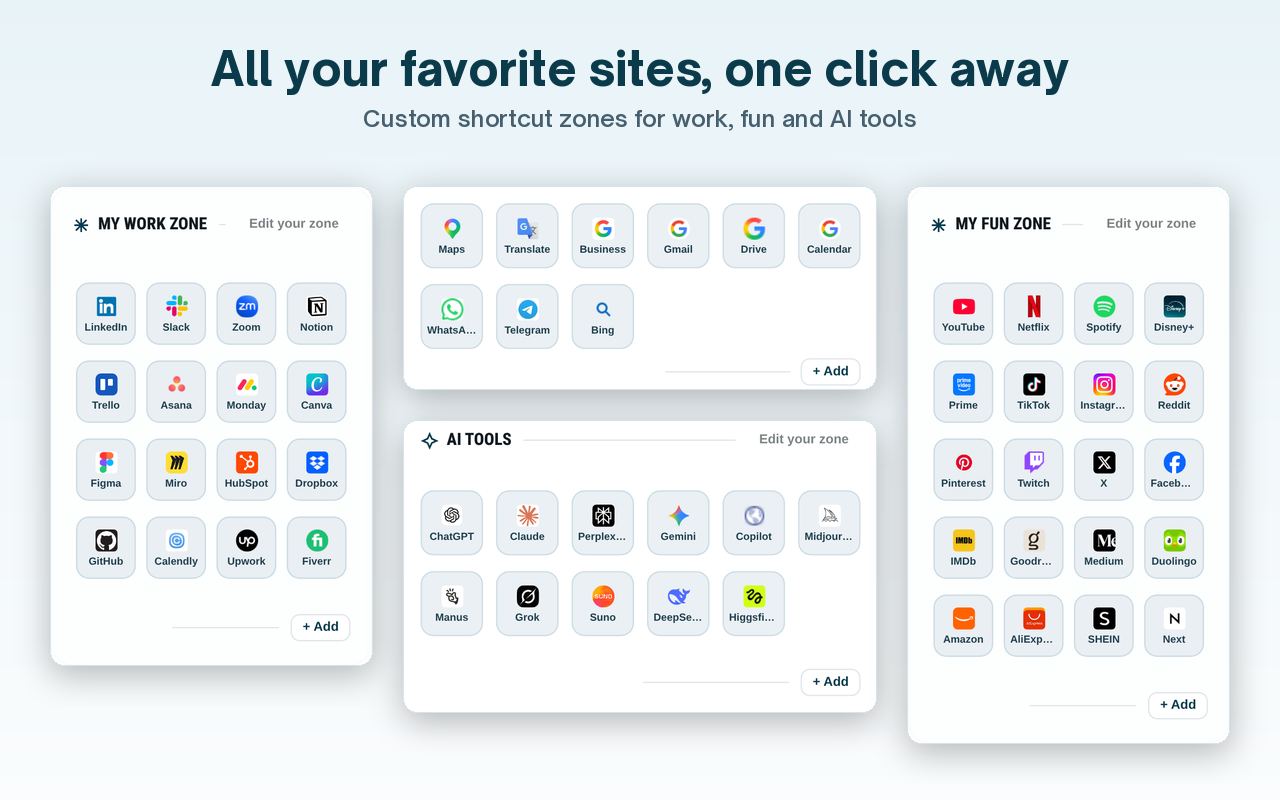
Each card below names every shortcut in that kit file. Read the why paragraph first if you want to know whether the set matches how you work.
Developer kit
Everything a developer opens all day.
Why this kit: the work zone is docs, repos, and deploy tools a coder opens while writing software. GitHub, Stack Overflow, MDN, npm, CodePen, Vercel, VS Code on vscode.dev, Can I Use, and Regex101 sit together. The AI row is ChatGPT, Claude, GitHub Copilot, Perplexity, and v0. Gmail, Drive, and Calendar stay in the Google row.
Google row: Gmail, Drive, Calendar
Tools: GitHub, Stack Overflow, MDN, npm, CodePen, Vercel, VS Code, Can I Use, Regex101
AI: ChatGPT, Claude, Copilot, Perplexity, v0
Content Creator kit
Plan, make and publish in one tab.
Why this kit: the work zone is publish, design, edit, and schedule tools. YouTube Studio, Canva, CapCut, TikTok, Instagram, Notion, Buffer, Google Trends, and Unsplash are in the kit file. The AI row is ChatGPT, Claude, Descript, and ElevenLabs. Gmail, Drive, and Calendar stay in the Google row.
Google row: Gmail, Drive, Calendar
Tools: YouTube Studio, Canva, CapCut, TikTok, Instagram, Notion, Buffer, Google Trends, Unsplash
AI: ChatGPT, Claude, Descript, ElevenLabs
Student kit
Classes, research and study, sorted.
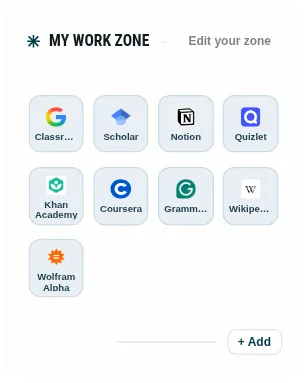
Why this kit: the work zone is class, research, and study sites. Classroom, Scholar, Notion, Quizlet, Khan Academy, Coursera, Grammarly, Wikipedia, and Wolfram Alpha are in the kit file. The fun zone is study-break sites: YouTube, Spotify, Netflix, Duolingo, Goodreads, TED, Chess.com, and Reddit. The AI row is ChatGPT, Claude, and Perplexity. Gmail, Drive, and Calendar stay in the Google row.
Google row: Gmail, Drive, Calendar
Tools: Classroom, Scholar, Notion, Quizlet, Khan Academy, Coursera, Grammarly, Wikipedia, Wolfram Alpha
Fun zone: YouTube, Spotify, Netflix, Duolingo, Goodreads, TED, Chess.com, Reddit
AI: ChatGPT, Claude, Perplexity
Trader kit
Markets, charts and news at a glance.
Why this kit: the work zone is charts, quotes, and market news. TradingView, Yahoo Finance, Investing.com, CoinMarketCap, MarketWatch, Google Finance, Reuters, Bloomberg, and X are in the kit file. The AI row is ChatGPT and Perplexity. The Google row is Gmail and Calendar only. This kit file does not include Drive.
Google row: Gmail, Calendar
Tools: TradingView, Yahoo Finance, Investing.com, CoinMarketCap, MarketWatch, Google Finance, Reuters, Bloomberg, X
AI: ChatGPT, Perplexity
After you import
You can still add, edit, remove, and drag shortcuts. The Student kit fills the Fun zone with study-break sites. The other three kit files leave your Fun zone as it was. News and markets tickers are part of the page itself, not part of a kit. If the layout is wrong, restore the snapshot or import a different kit.
Non-destructive: importing a kit swaps your shortcuts only — your widgets, tasks and background stay. Your previous layout is snapshotted, and signed-in users can roll back anytime from Restore an earlier version.
Home · All guides · What is a start page? · FAQ · About · Contact · Terms · Chrome Web Store · Cookie settings