Guides › New tab extension privacy
New tab extension privacy: what the public listings show
A new-tab extension can replace the first page you see in the browser. This table records only what each official Chrome Web Store listing showed in October 2026. If a listing did not show a dedicated permissions list, the cell says so.
How to read this table
Each row is one extension that appears in Dayblaster’s Chrome new tab extensions guide or comparison pages. Values come from the public Chrome Web Store listing (Overview, Details, and Privacy), checked October 2026. They do not come from unpacked manifests, third-party scanners, or user reviews.
- Permissions on the listing: the store’s permissions list if it was visible. If it was not, the cell says “not shown on the listing.” Overview sentences about permissions are quoted separately when they appear.
- Privacy section: the store’s Privacy block, including “will not collect or use your data” or the named data types.
- Developer declarations: the three standard Chrome Web Store statements about sale, unrelated use, and creditworthiness, when the listing showed them.
Dayblaster is our product. It is listed first because this site maintains it, not because a store ranking put it first. See how we review and Dayblaster’s privacy policy.
Listing table (checked October 2026)
| Extension | Permissions on the listing | Privacy section on the listing | Developer declarations shown |
|---|---|---|---|
| Dayblaster | Dedicated permissions list: not shown on the listing. Overview text: “It requests no special permissions and collects no data of its own.” | “The developer has disclosed that it will not collect or use your data.” | Not sold to third parties outside approved use cases; not used or transferred for unrelated purposes; not used to determine creditworthiness or for lending. |
| Momentum | not shown on the listing | Handles personally identifiable information and authentication information. Overview also links to https://momentumdash.com/privacy and says information is not sold to third parties. | Same three Chrome Web Store declarations as above. |
| Tabliss | Dedicated list: not shown on the listing. Title line and overview say it “does not require any permissions” / “requires no permissions.” | “The developer has disclosed that it will not collect or use your data.” | Same three declarations. |
| Bonjourr | Dedicated list: not shown on the listing. Overview: “only requests minimal permissions.” | “The developer has disclosed that it will not collect or use your data.” | Same three declarations. |
| TickerTab | not shown on the listing | “The developer has disclosed that it will not collect or use your data.” | Same three declarations. |
| Start Page HQ | not shown on the listing | Handles authentication information and website content. | Same three declarations. |
| Infinity New Tab (Pro) | Dedicated list: not shown on the listing. Overview says bookmarks, history and Gmail notification access is optional and used for features you enable. | “The developer has disclosed that it will not collect or use your data.” | Same three declarations. |
| Toby: Tab Manager and Session Saver | Dedicated list: not shown on the listing. Overview: “Toby only asks for the permissions it needs. It never reads the pages you visit. It only sees the titles, addresses and icons of the tabs you choose to save.” | Handles personally identifiable information, authentication information, location, web history, user activity and website content. | Same three declarations. Overview also says “We never sell your data.” |
A “will not collect or use your data” line and a list of handled data types are both store disclosures. They are not a security audit. When the Privacy block names data types, that is what we record, even if the overview is shorter.
What Dayblaster’s own listing and code show
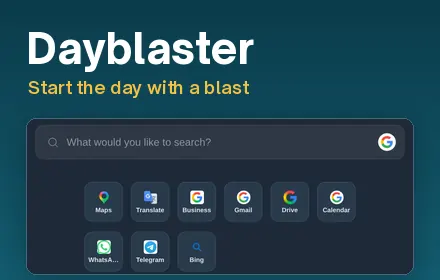
The Chrome Web Store listing for Dayblaster (checked October 2026) showed version 1.0.0, updated 26 September 2026, size 7.27KiB, English (United States). Overview: the extension’s single purpose is to set Dayblaster as the new-tab page. Privacy: it will not collect or use your data. The extension (Manifest V3, version 1.0.1) only sets the new-tab page and requests no special permissions. The site privacy policy says the extension collects, stores or transmits no data of its own, and that opening a new tab loads dayblaster.com, where the rest of the policy applies.
The live website can show ads on the free start page and can load Google Analytics after you accept cookies. That is site behavior, not extra extension permission. Decline keeps analytics off. Cookie settings stay in the footer of these pages.
How to open the Privacy block on a listing
- Open the extension’s Chrome Web Store page.
- Scroll to Privacy under Details.
- Read whether the developer says it will not collect data, or which named types it handles.
- If you expected a permissions list and do not see one, treat it as not shown. Do not copy a permissions list from an unofficial site.
Chrome Help on unwanted software says a homepage or search engine that keeps changing, and extensions that return after you remove them, are warning signs. See homepage changed by itself.
How to remove a new-tab extension
- Go to
chrome://extensions. - Find the extension and select Remove.
- Open a new tab. Chrome’s default New Tab page should return unless another new-tab extension is still on.
After Chrome’s full settings reset, Chrome Help says you must turn trusted extensions on again yourself. Only turn on extensions you trust.
Compare products on the comparison hub. Install and remove steps also sit on Chrome new tab extensions.
Why new-tab permissions deserve a slower look
A new-tab extension runs every time you press Ctrl+T or Cmd+T. Chrome Help treats an unexpected homepage or search change as a possible unwanted-software sign. The store Privacy block is the public statement the developer gave Google. It is not a live capture of network traffic.
When a listing says it will not collect or use your data, and the overview still describes optional account sync or optional history access, read both sentences. Infinity New Tab’s overview (checked October 2026) says bookmarks, history and Gmail notification access is optional. Toby’s Privacy block names web history, location and website content. Momentum’s Privacy block names personally identifiable information and authentication information. Dayblaster’s listing says it will not collect or use your data and that the extension has a single purpose.
Host permissions and optional permissions often appear only in the install dialog, not in the scrollable listing we could read. That is why several cells say “not shown on the listing.” If Chrome shows a permission prompt at install time, believe that prompt over this table.
This site’s comparison pages already refuse Review schema and aggregateRating. This table follows the same rule: no stars, no user counts, no testimonials, even when the listing shows them.
Listing details we could read (not permissions)
These Details fields were visible on the same listing pages in October 2026. They are not permission grants. They help you confirm you opened the same item we opened.
- Dayblaster: version 1.0.0 on the listing (this repo is 1.0.1), updated 26 September 2026, 7.27KiB.
- Momentum: version 2.27.8, updated 5 October 2026, 18.03MiB, in-app purchases, trader in Victoria, BC.
- Tabliss: version 2.6.0, updated 25 April 2022, 204KiB.
- Bonjourr: version 22.3.0, updated 9 July 2026, 1.38MiB, 39 languages listed.
- TickerTab: version 0.8.7, updated 16 September 2026, 171KiB, offered by VPP Technologies L.L.C.
- Start Page HQ: version 2.6.0, updated 7 October 2026, 17.79MiB, in-app purchases.
- Infinity New Tab (Pro): version 11.0.41, updated 7 July 2026, 4.91MiB, 33 languages listed.
- Toby: version 2.0.0.11, updated 2 October 2026, 1.42MiB, in-app purchases, Launch Labs INC.
Tabliss last updated in 2022 on the listing we read. That is a store date, not a judgment about whether you should install it. Bonjourr’s overview says it collects no data and requires no account. Start Page HQ’s Privacy block names authentication information and website content, which matches an account-sync product more than a local-only new tab.
Re-read those listings when you next review this table. Store text changes. The check date on this page is October 2026. If a cell would now be different, the listing wins. A later check should keep the same eight listing URLs and the same three columns.
Official sources
- Dayblaster listing (checked October 2026)
- Momentum listing (checked October 2026)
- Tabliss listing (checked October 2026)
- Bonjourr listing (checked October 2026)
- TickerTab listing (checked October 2026)
- Start Page HQ listing (checked October 2026)
- Infinity New Tab (Pro) listing (checked October 2026)
- Toby listing (checked October 2026)
- Remove unwanted ads, pop-ups and malware (Google Chrome Help, checked October 2026)
- Reset Chrome settings to default (Google Chrome Help, checked October 2026)
- Dayblaster privacy policy
More: Guides · Compare · Privacy · About · Contact · Terms · Chrome Web Store · Cookie settings