Guides › Edge homepage and new tab
Change the homepage and new tab in Microsoft Edge
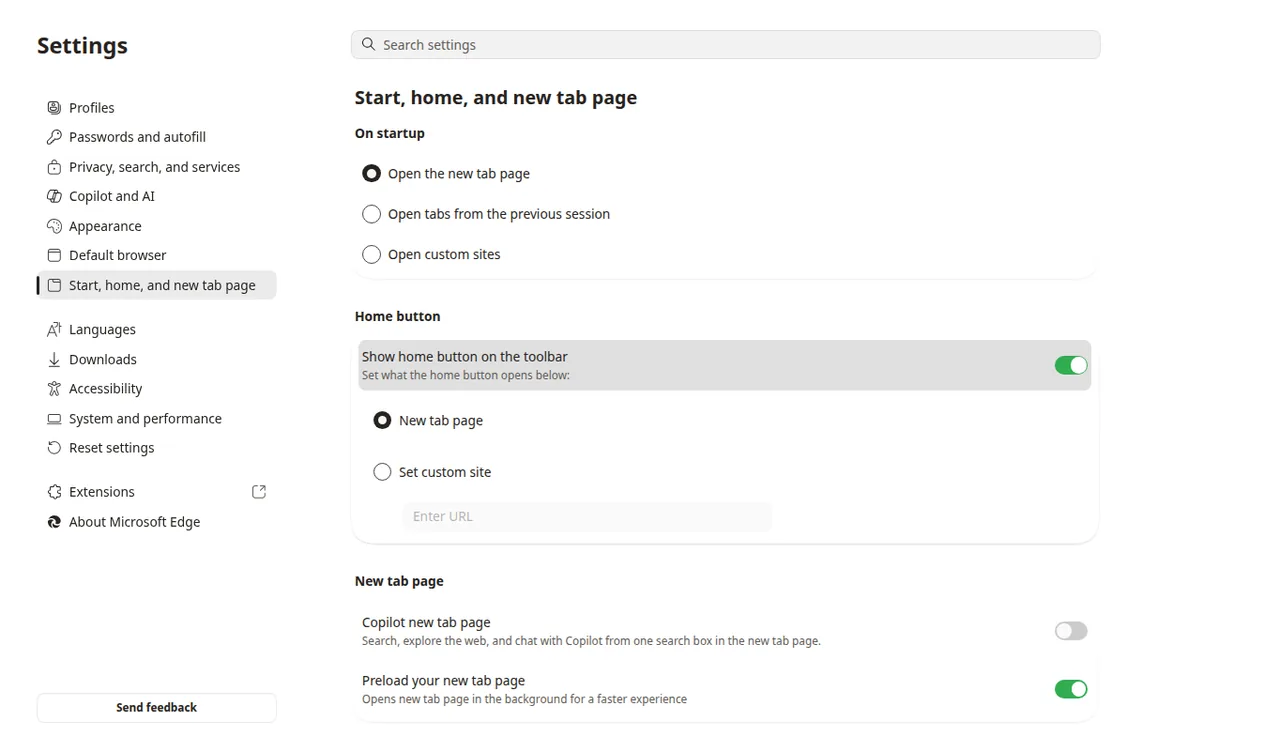
In Edge, set the Home button and startup pages under Start, home, and new tab page. The MSN-style news feed lives on the built-in new tab and is turned down or off from Page settings, not from the homepage URL field.
Three Edge settings people mix up
Microsoft Support, “Change your browser home page,” describes the Home button. The same Settings page in current Edge also holds startup pages. The built-in new tab is a fourth surface: it can show a Microsoft news feed even when Home and startup already point at another site.
- Home button: opens the homepage you enter, or the New tab page.
- When Edge starts: can reopen the last session or open a list of pages you add.
- New tab: the page created by Ctrl+T / Cmd+T. Layout and feed are controlled on that page.
Official Edge help does not give a Settings field that points every new tab at an arbitrary website. A custom new-tab website still needs an extension that overrides the new tab, the same way Chrome does. Dayblaster ships a Chrome new-tab extension. This page does not claim an Edge add-on.
Set the Edge homepage
From Microsoft Support, checked October 2026:
- Open Microsoft Edge, select Settings and more, then Settings.
- Select Start, home, and new tab page. Some Edge versions label this Start, home, and new tabs.
- Turn on Show home button on the toolbar.
- Choose New tab page, or select Enter URL and type an address such as
https://www.google.comorhttps://www.dayblaster.com.
After that, the Home button opens that address. It does not, by itself, change what a new tab shows.
Set what opens when Edge starts
Stay on Start, home, and new tab page. Under the startup section, choose whether Edge opens the new tab page, continues where you left off, or opens specific pages. To open a site you picked, choose Open these pages and add the address. Microsoft Q&A answers often repeat this path; the setting itself lives in Edge Settings, not on the news feed.
If both Home and startup point at Dayblaster, launching Edge and clicking Home both open the start page. New tabs can still show the Microsoft feed until you change Page settings or install an extension that overrides the new tab.
Turn down or hide the Microsoft news feed
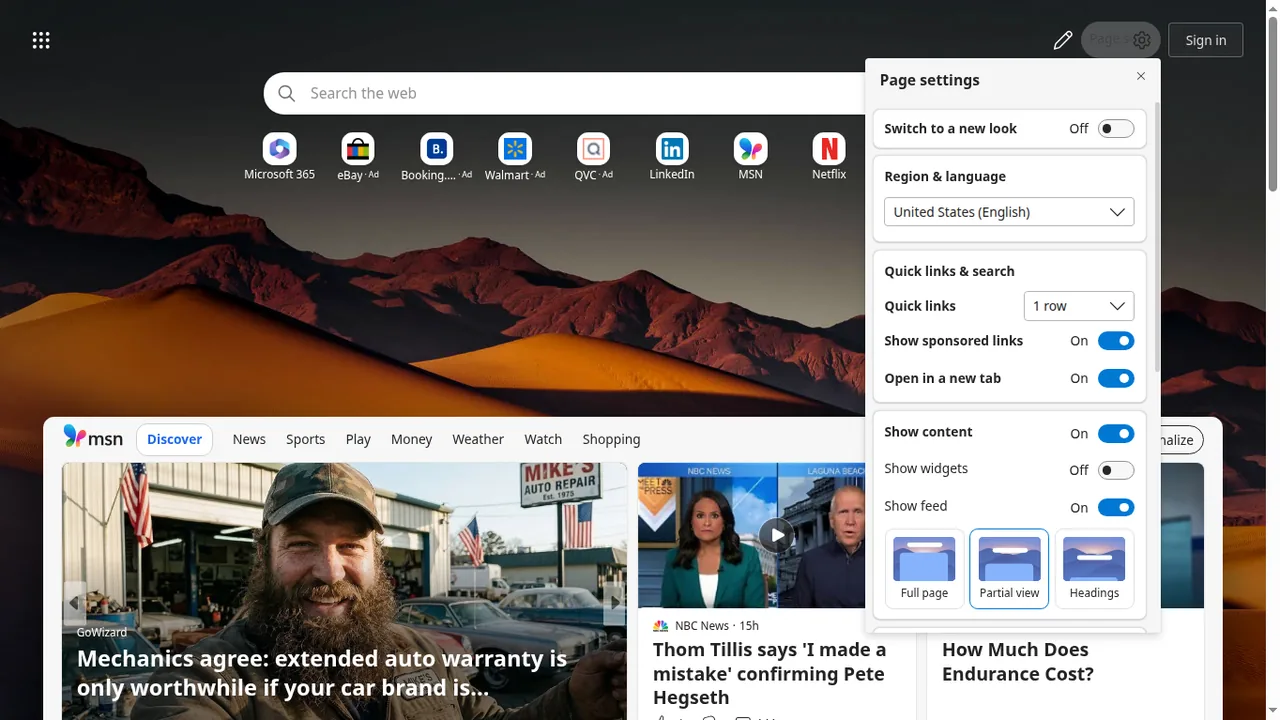
Microsoft’s Edge Learning Center article “Hide your Microsoft Edge news feed” (12 March 2024, checked October 2026) describes the built-in feed on the new tab:
- Open a new tab.
- Open Page settings (the gear). Microsoft’s article places it on the upper left of that page; some current Edge builds put page layout controls on the right. Use the gear on the new tab, not the main Settings menu.
- To remove the feed, open Content and choose Content off.
- To keep the feed but move it down, use Page settings > Layout > Focused, or set Content to headings only / partially visible.
After Content off, the Learning Center says the new tab still shows bookmarks, the search bar, the Bing toolbar, and the weather. That is a quieter Microsoft new tab. It is not a custom website.
Use Dayblaster as the Edge homepage
Enter https://www.dayblaster.com in the Home URL field and, if you want the same page at
launch, add it under Open these pages. No Edge add-on is required for those two settings. Dayblaster
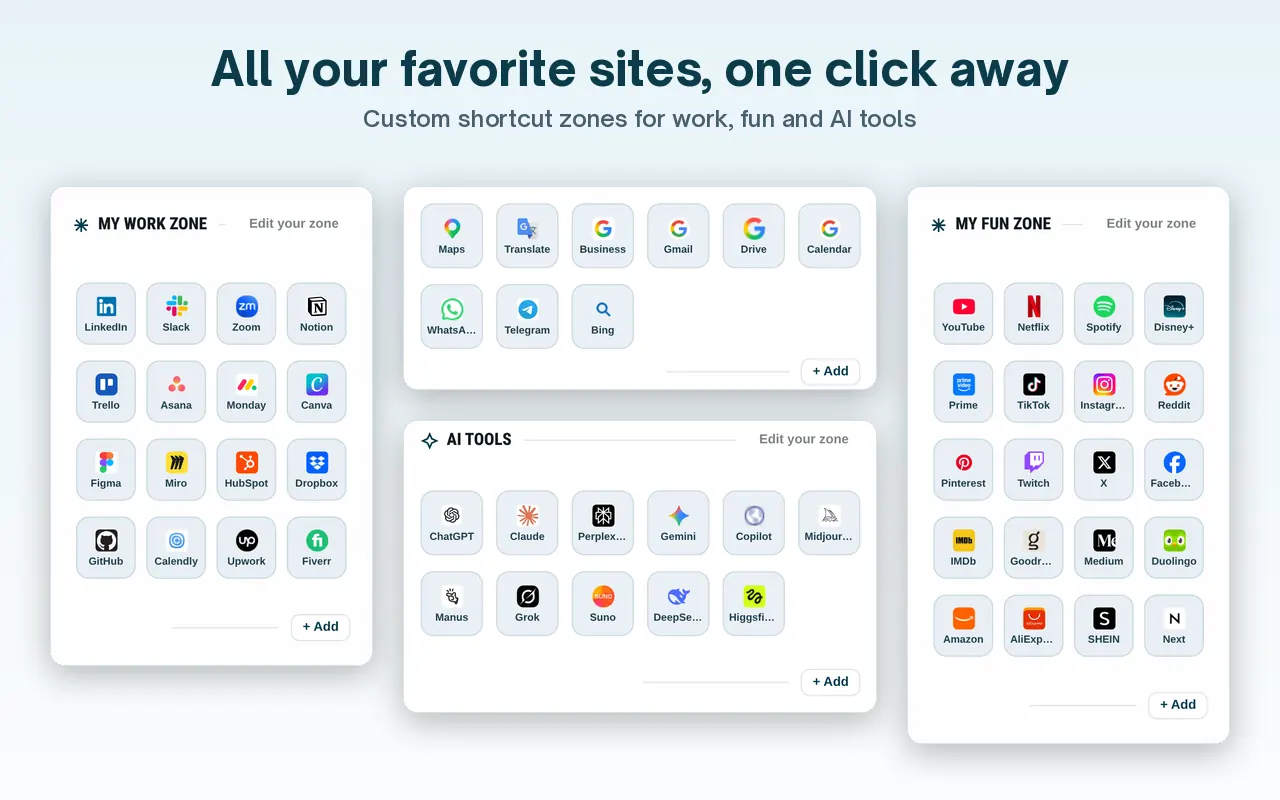
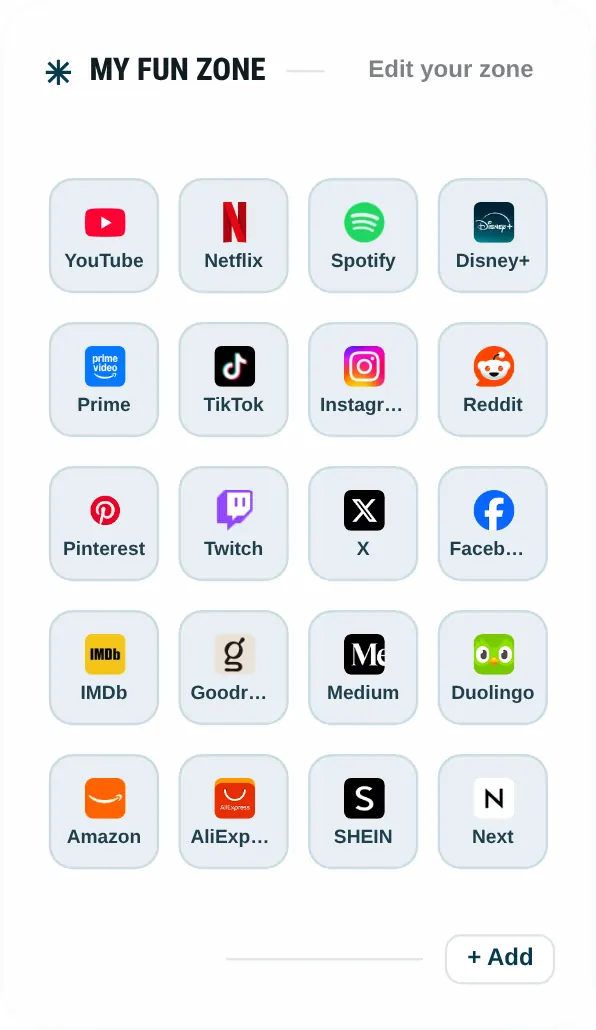
works as a web page: shortcut zones, widgets, and (on the live site) news and markets bars.
More browser paths: replace or set a Google homepage, every-browser homepage guide, Firefox, and homepage changed by itself.
Edge versus Chrome on new tabs
Both browsers are Chromium-based, and both keep homepage, startup and new tab as separate controls. Chrome Help documents Customize Chrome (shortcuts, theme, cards, footer) and says a custom New Tab website needs an extension. Edge documents Page settings for the Microsoft feed. The labels differ. The limitation is the same: the official Settings app does not take a custom URL for every new tab.
If an Edge add-on changed the new tab without you noticing, open edge://extensions and
remove it, then confirm Home and startup still show the URL you typed. If they do not, set them again
on Start, home, and new tab page. Microsoft Support’s homepage article also includes Chrome, Firefox
and Safari steps on the same page if you switch browsers later.
Dayblaster on Edge is the website. Search, shortcut zones and widgets load in the tab like any other HTTPS page. The optional Chrome Web Store extension is documented for Chrome’s New Tab override. Do not install a random “Edge new tab” add-on that we have not listed.
When the feed comes back
Microsoft’s Learning Center article is written for the United States market and says features can vary by region. If Content off is missing, update Edge and look for the gear on a new tab again before you assume the control moved into the main Settings menu. Older Edge builds used “Hide feed,” “Top sites,” or “A blank page” on the new tab itself. Those older labels are described in Microsoft Q&A threads; this page prefers the Learning Center’s Content off / Focused wording because that is a first-party Edge article with a date (12 March 2024).
Work profiles signed in with a Microsoft work account can show a different new tab (Microsoft 365 or Copilot new tab). Microsoft Learn documents Copilot new tab and feed policies for organizations. Those admin policies are outside a consumer homepage URL. If Home and startup are greyed out, the device is managed.
After you hide the feed, you can still set Home to Google or to Dayblaster. The Learning Center is explicit that Content off leaves Bing search and weather on the built-in new tab. Replacing that leftover chrome requires an extension or ignoring new tabs and using Home / startup only.
For a homepage that changed without you, use the reset guide. For Chrome’s New Tab panel, use Chrome New Tab settings.
Official sources
- Change your browser home page (Microsoft Support, checked October 2026)
- Hide your Microsoft Edge news feed (Microsoft Edge Learning Center, 12 March 2024, checked October 2026)
- Set your homepage and startup page (Google Chrome Help, for the homepage vs startup distinction, checked October 2026)
More: Guides · FAQ · About · Contact · Terms · Chrome Web Store · Cookie settings